
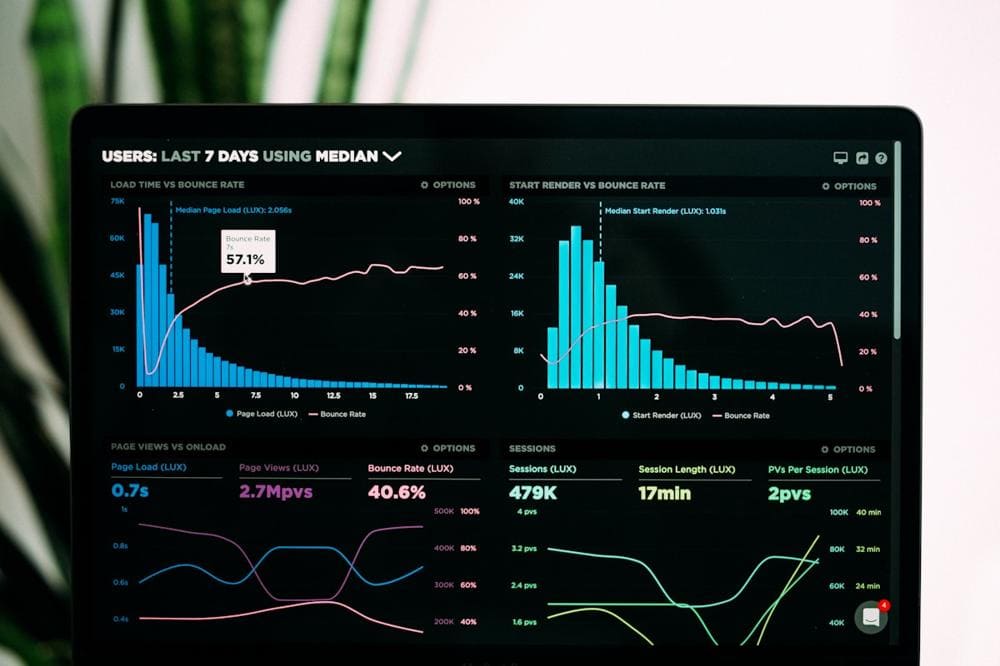
A 1-second delay in page load time decreases conversions by 7%. Google ranks faster sites higher. Yet most websites are painfully slow. Here's the exact checklist we use to achieve 100/100 Lighthouse scores and maximize conversions.
Why Performance Matters
- SEO: Core Web Vitals are a Google ranking factor
- Conversions: Amazon found 100ms delay = 1% revenue loss
- User Experience: 53% of mobile users abandon sites that take >3s to load
- Competitive Advantage: Faster sites win in every metric
Core Web Vitals Explained
1. LCP (Largest Contentful Paint)
Target: Under 2.5 seconds
What it measures: Time until the largest element is visible
How to fix:
- Optimize images (WebP, lazy loading, proper sizing)
- Use CDN for static assets
- Implement server-side rendering
- Preload critical resources
- Reduce server response time
2. FID (First Input Delay)
Target: Under 100 milliseconds
What it measures: Time until page responds to first interaction
How to fix:
- Minimize JavaScript execution time
- Code-split and lazy load JS
- Use web workers for heavy computations
- Defer non-critical JavaScript
3. CLS (Cumulative Layout Shift)
Target: Under 0.1
What it measures: Visual stability (unexpected layout shifts)
How to fix:
- Set explicit width/height on images and videos
- Reserve space for ads and embeds
- Avoid inserting content above existing content
- Use CSS transforms instead of layout-triggering properties
The Performance Optimization Checklist
Images (Biggest Impact)
- ✅ Use WebP/AVIF format (70% smaller than JPEG)
- ✅ Implement lazy loading for below-fold images
- ✅ Use responsive images with srcset
- ✅ Compress images (TinyPNG, Squoosh)
- ✅ Use CDN for image delivery
- ✅ Set explicit width and height attributes
JavaScript Optimization
- Code-split with dynamic imports
- Tree-shake unused code
- Defer non-critical scripts
- Use modern ES modules
- Minimize third-party scripts
CSS Optimization
- Inline critical CSS
- Defer non-critical CSS
- Remove unused CSS (PurgeCSS)
- Minify CSS files
- Use CSS containment
Fonts
- Use system fonts when possible
- Preload critical fonts
- Use font-display: swap
- Subset fonts to include only needed characters
- Use WOFF2 format
Caching Strategy
- Set proper cache headers
- Use service workers for offline support
- Implement stale-while-revalidate
- Cache static assets aggressively
Next.js Performance Best Practices
Use Next.js Image Component
import Image from 'next/image';
Implement ISR (Incremental Static Regeneration)
export async function getStaticProps() {
  const data = await fetchData();

  return {
    props: { data },
    revalidate: 60 // Regenerate every 60 seconds
  };
}
Use Dynamic Imports
import dynamic from 'next/dynamic';
const HeavyComponent = dynamic(() => import('./HeavyComponent'), {
loading: () => Loading...
,
ssr: false // Don't render on server
});Measuring Performance
Tools to Use
- Lighthouse: Chrome DevTools audit
- PageSpeed Insights: Google's official tool
- WebPageTest: Detailed waterfall analysis
- Chrome UX Report: Real user metrics
- Vercel Analytics: Real-time performance monitoring
Real-World Results
Case Study: E-Commerce Site
Before Optimization:
- LCP: 4.2s | FID: 180ms | CLS: 0.25
- Lighthouse Score: 42/100
- Bounce Rate: 68%
After Optimization:
- LCP: 1.1s | FID: 45ms | CLS: 0.02
- Lighthouse Score: 98/100
- Bounce Rate: 32%
- Conversion Rate: +47%
Quick Wins (Implement Today)
- Enable Gzip/Brotli compression
- Add width/height to all images
- Lazy load below-fold images
- Defer non-critical JavaScript
- Use a CDN (Cloudflare, Vercel)
- Minify CSS and JavaScript
- Enable browser caching
Conclusion
Performance isn't a nice-to-have—it's a business requirement. Every 100ms improvement increases conversions and SEO rankings. Start with the quick wins, measure results, and iterate.
Need Performance Optimization?
We audit and optimize websites to achieve 100/100 Lighthouse scores. From image optimization to architecture redesign, we'll make your site blazing fast.